Tighten pauses.
Keep the flow.
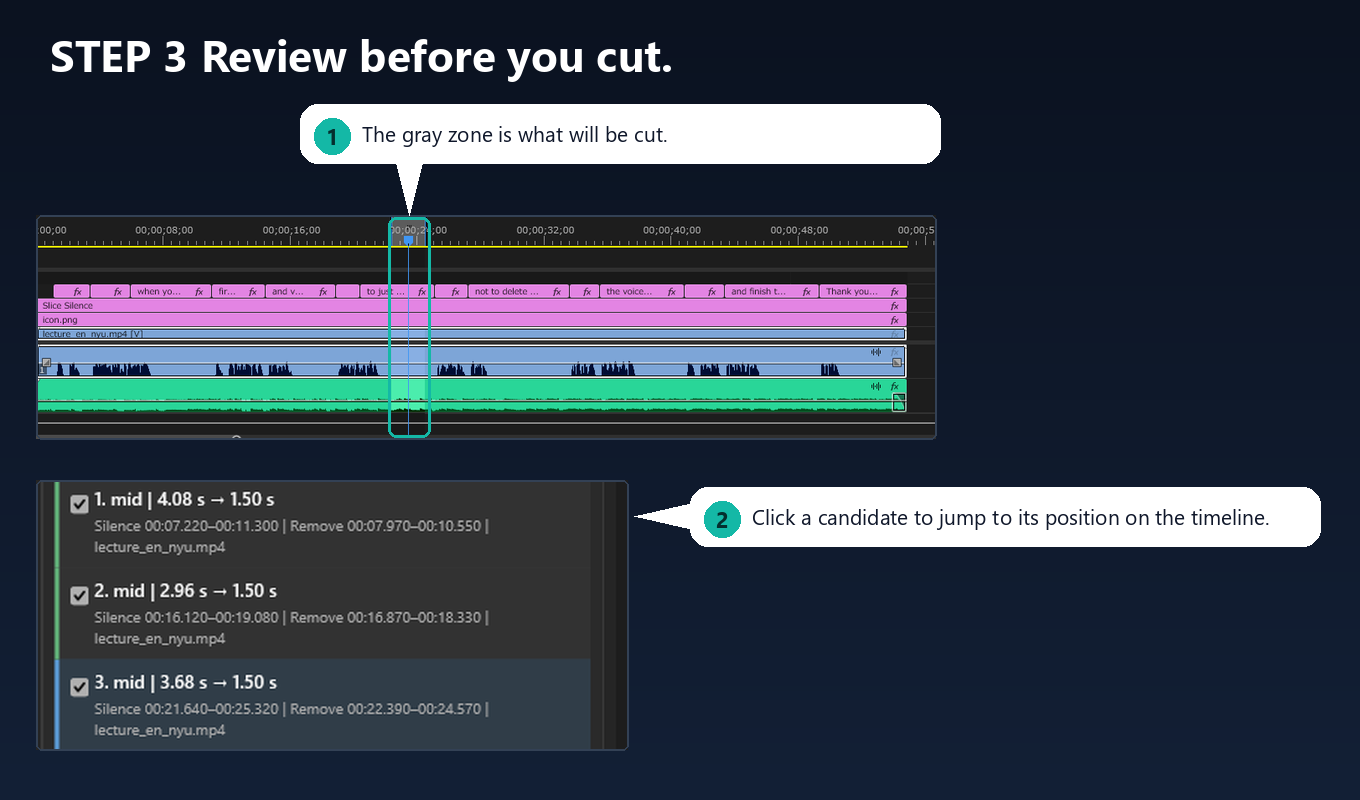
Slice Silence shortens the pauses in your narration and interview audio to a length you choose, instead of deleting them. The rhythm of the speech stays natural, and you see every candidate before anything is cut.
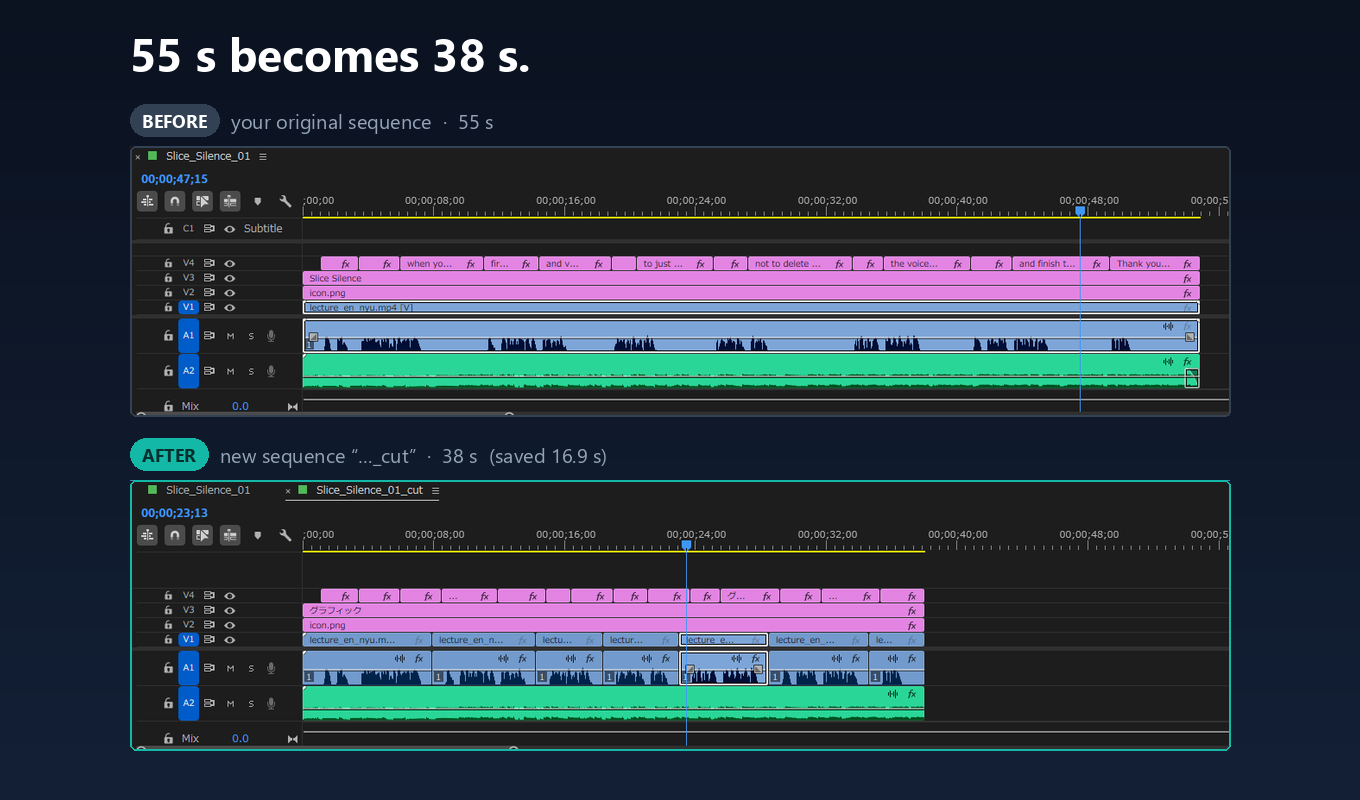
Cut every gap, and the voice sounds rushed.
Removing all the silence makes speech sound hurried and unnatural. Slice Silence finds the pauses and lets you decide how long each kind should stay.
How it works
Five steps, from detection to the finished sequence.
You decide how it ends up.
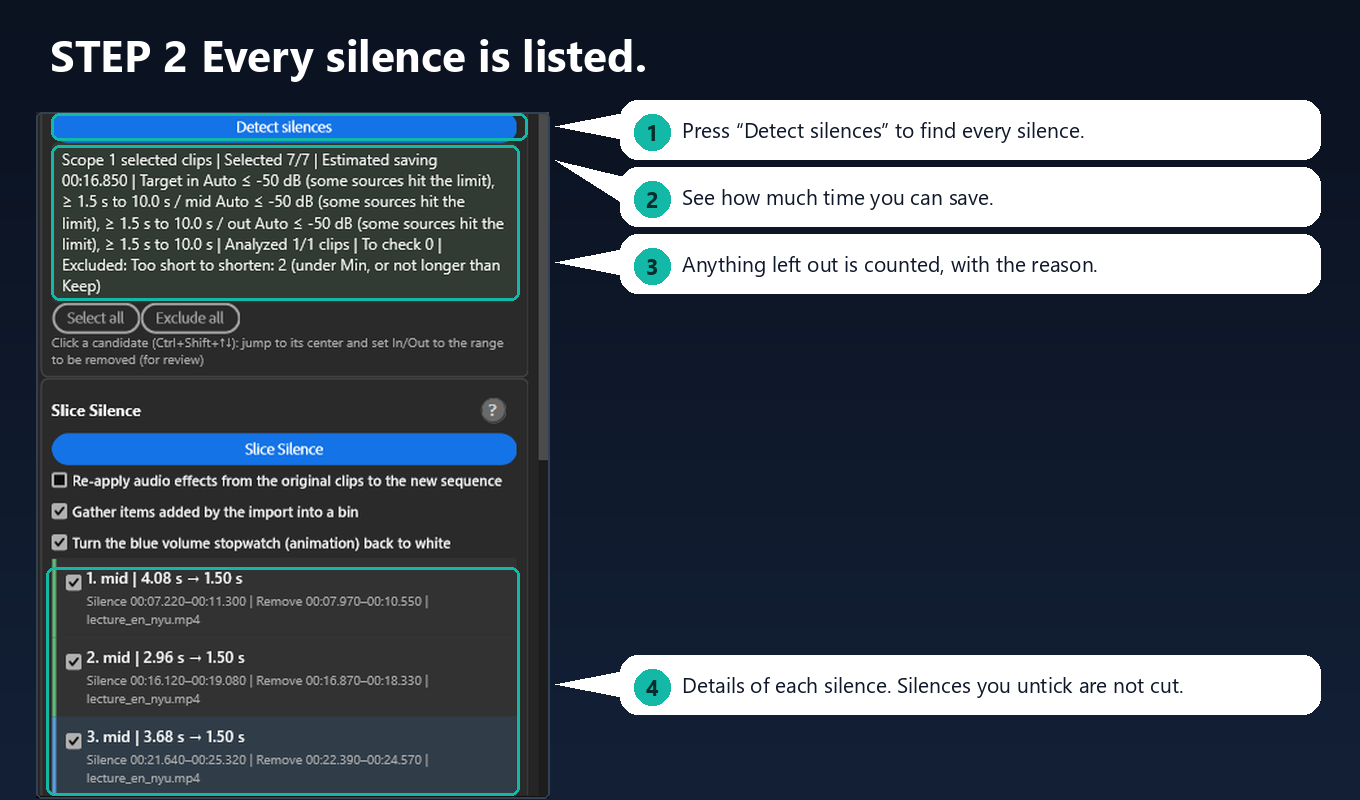
Cut conditions and review instead of a black box.
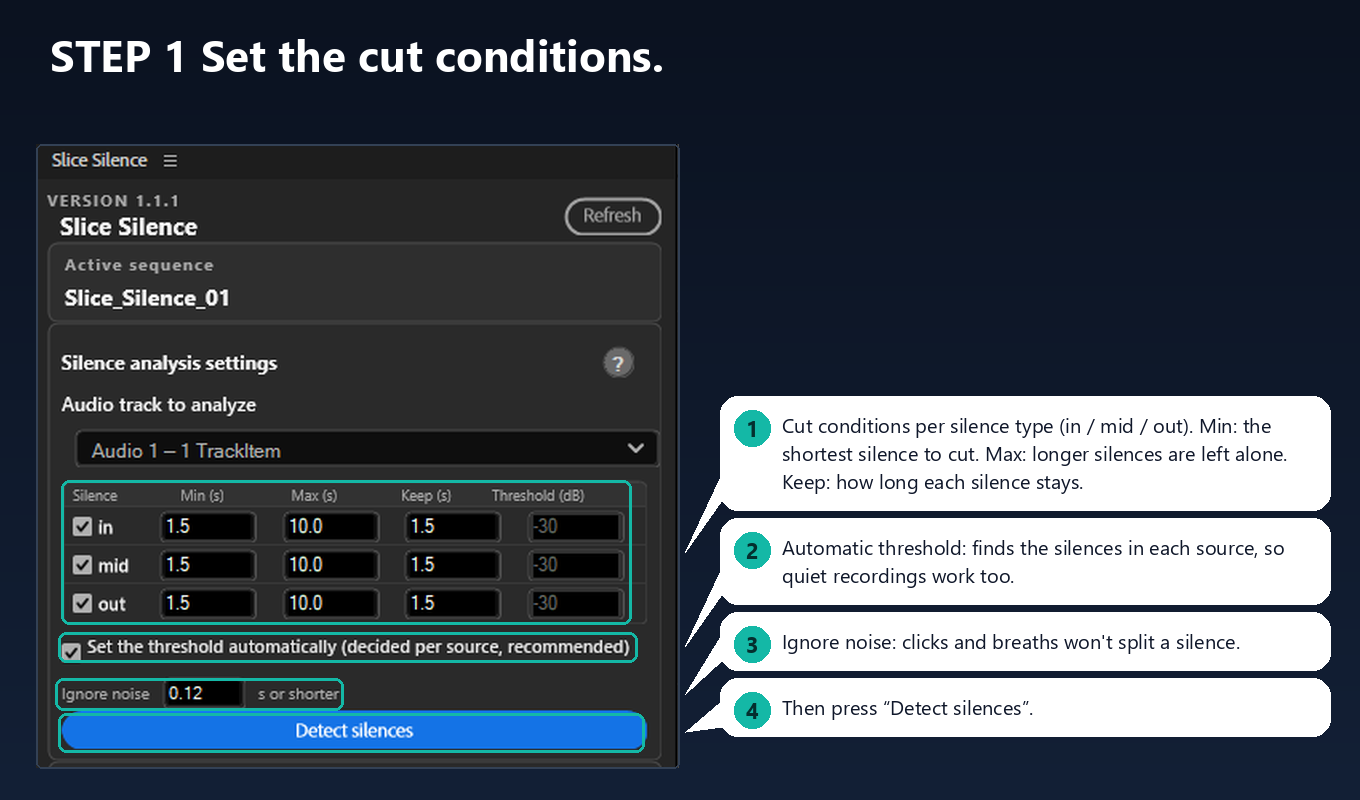
Cut conditions per silence type
Separate minimum, maximum, keep length and threshold (dB) for pauses inside speech, at the start of a clip and at the end of a clip.
Automatic threshold
For each source, the panel measures how quiet the quiet parts are and treats the level 8 dB above that as silence. In quietly recorded audio, speech is less likely to be mistaken for silence. You can switch to manual dB values.
Intentional pauses stay
Pauses longer than your maximum are left alone.
Ignore tiny noises
Mouth clicks and breaths do not split one pause in two. Sounds that are clearly speech are kept.
Original stays safe
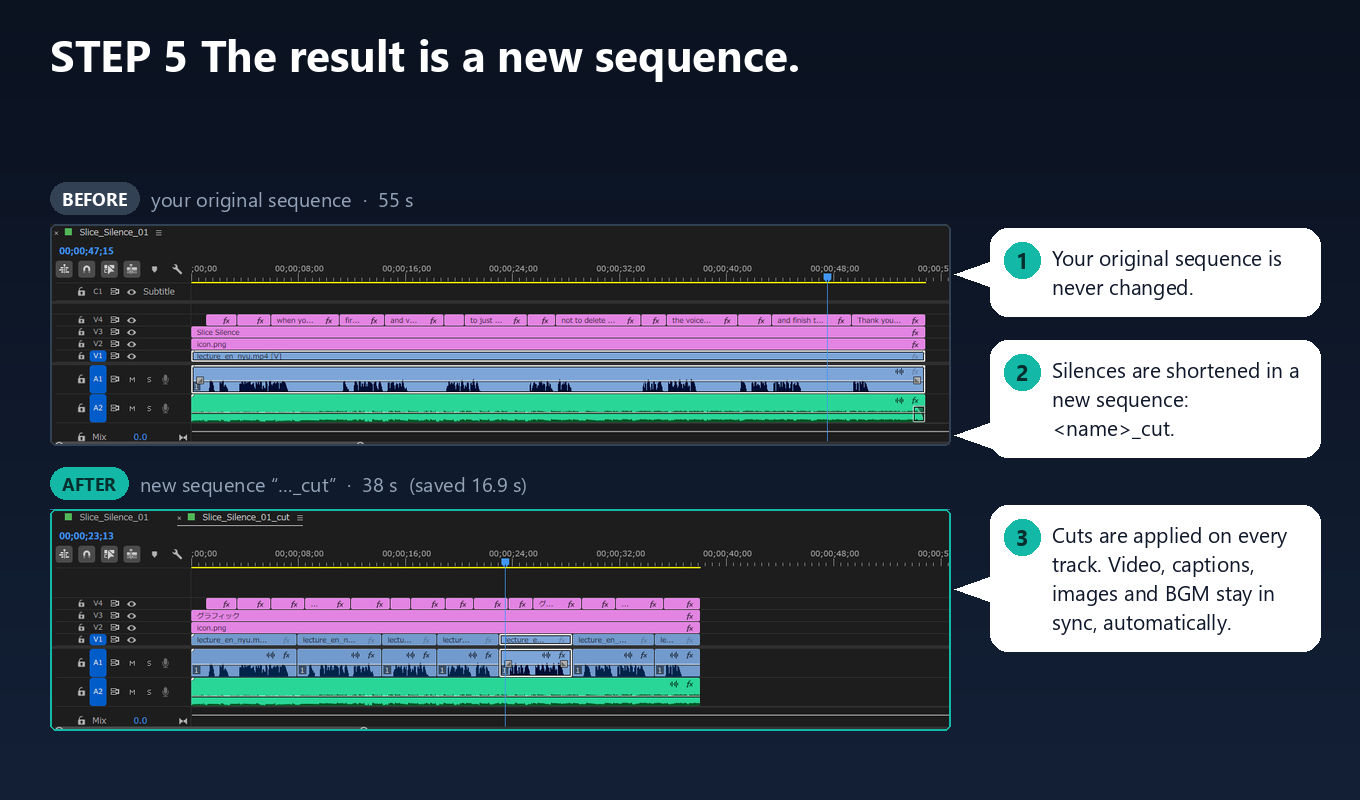
The result is a new sequence. Your original sequence is never changed.
Runs on your computer
Your audio and projects are never uploaded, and the plugin does not use the network.
Pricing and requirements
Try it free for 30 days before you pay.
Pricing
- $5.99 per month (subscription)
- 30-day free trial
- Purchased through Adobe Exchange
Requirements
- Adobe Premiere 26.2 or later
- Adobe Media Encoder (installed with Creative Cloud)
- Windows 10 / 11 and macOS
FAQ
Are my audio files or projects uploaded?
No. Everything runs locally on your computer, and the plugin does not use the network.
Does it change my original sequence?
No. The result is created as a new sequence named “<original name>_cut”.
How does the cut work?
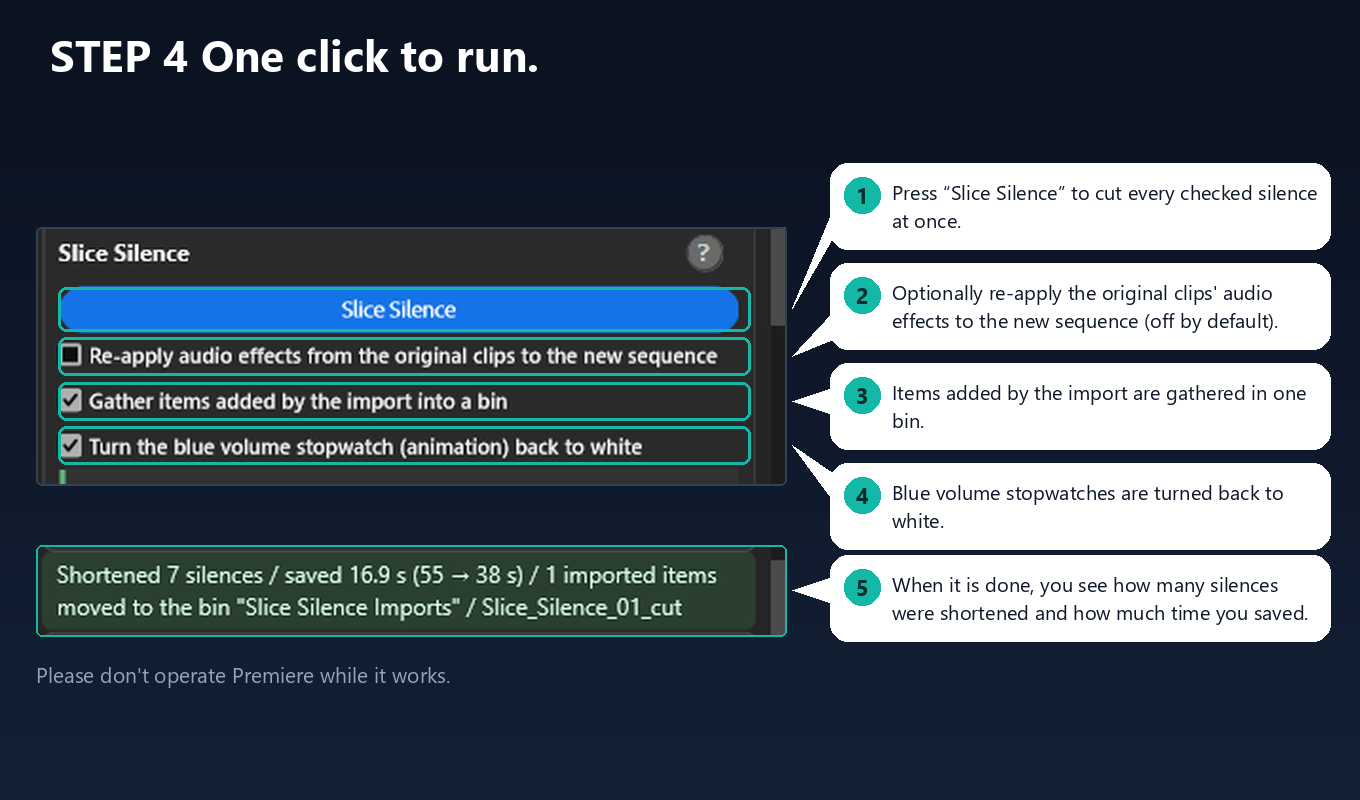
The panel exports the sequence as XML, shortens the silences you left checked, and imports the result as a new sequence. While importing, Premiere may show a “Conversion Report” window (it can open behind the main window). Click OK to continue.
Can I check before anything is cut?
Yes. Click a candidate to jump to it and uncheck any pause you want to keep. The automatic threshold is a starting point, not a guarantee: always review the candidates before cutting.
Does it work on macOS?
Yes. Slice Silence supports Windows 10 / 11 and macOS.
Where do I get help?
See the Help page. If that does not solve it, write to info@soulman.ne.jp.